Mobile Flames Pass
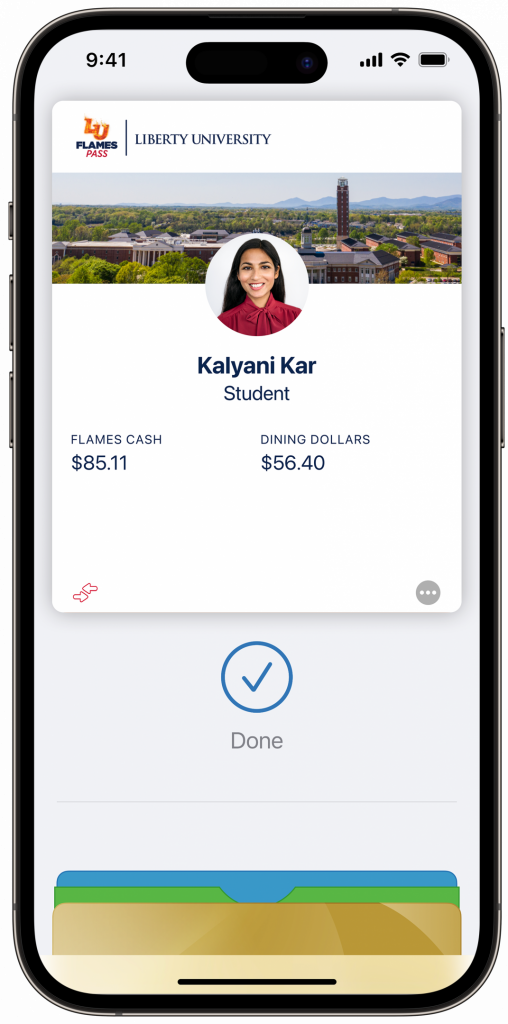
Welcome to your Mobile Flames Pass!
We are proud to offer a secure and exciting way to use your Flames Pass
Your Flames Pass…available in Apple Wallet, Google Wallet, and Samsung Wallet!
The Mobile Flames Pass is available to all residential* students and current local faculty and staff! Tap your iPhone, Apple Watch, or eligible Samsung and Android phones at readers across campus to conveniently use your Mobile Flames Pass. Your Mobile Flames Pass acts just like a physical ID card through the digital wallet on your device.
Badging in your door, dining on campus, spending Flames Cash on and off campus, using a printer, and more are all accessible with a tap of your phone.
* Students enrolled in the Liberty Online Program are not eligible to download the Mobile Flames Pass, even if local to campus.
Let’s Get Started!
Students:
Submit your photo and supporting Government ID through our Photo Upload App.
Complete Financial Check-In (FCI) for your first term of enrollment
Claim your Liberty Account and LU email address
Active Faculty and Staff:
Submit your photo and supporting Government ID through our Photo Upload App.
Once hired, claim your Liberty Account and LU email address.
Need help? Check out our tutorials!
Add your Mobile Flames Pass!
To add your Mobile Flames Pass to your phone, please follow the directions for your phone model. Note: clicking these links will take you to an external website.
If you run into any trouble, check out our Frequently Asked Questions page for assistance!